SOURCE 01 · Product cutout
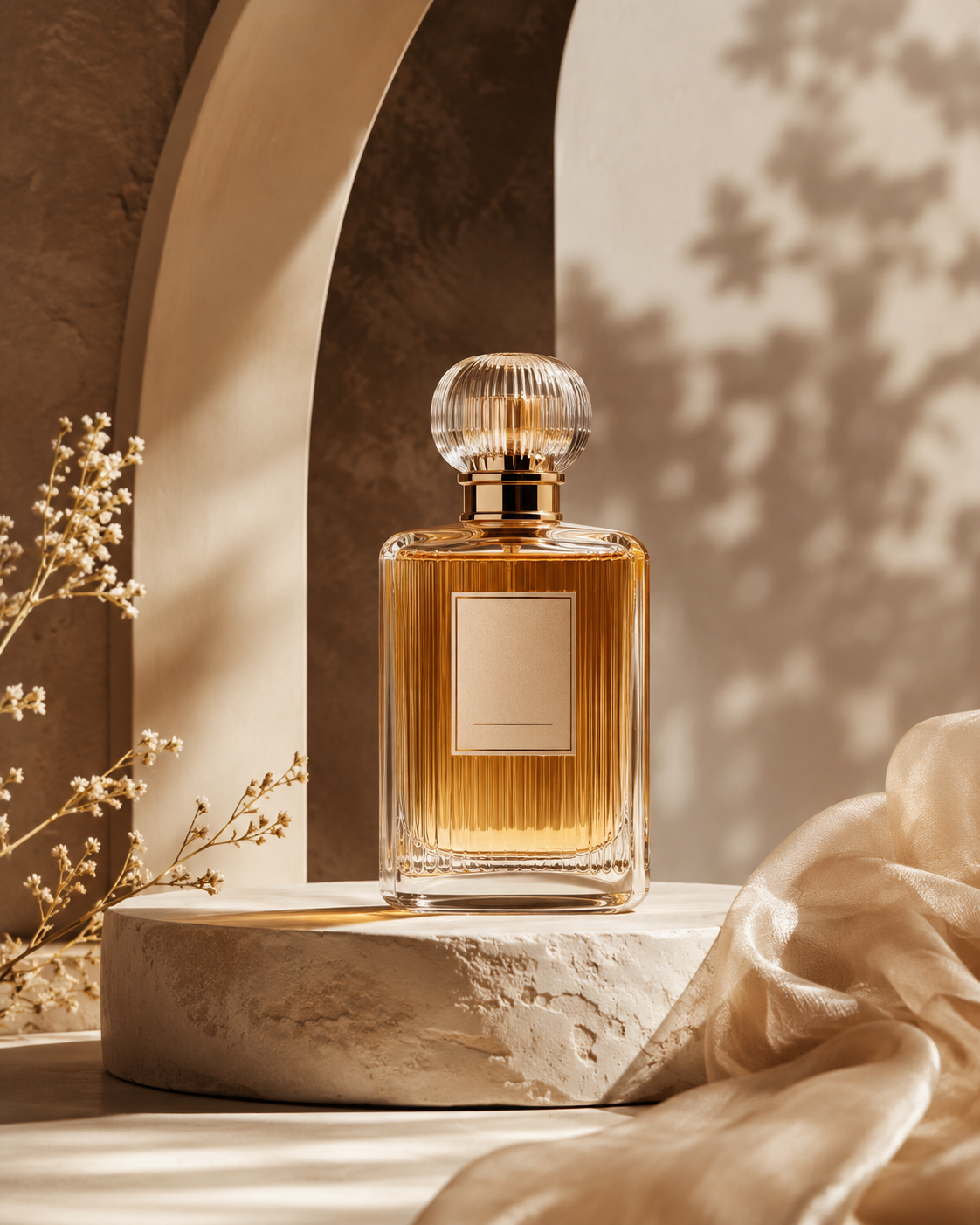
Synthetic amber glass bottle
- Dimensions
- 1254 x 1254 px
- Difficulty
- high
- Source file
- 1.84 MB
- Output file
- 0.60 MB
- Fully transparent
- 84.0%
- Soft-edge pixels
- 3.4%
- Measured run
- 7.9 s
- Timing state
- cold
Why this file is difficult
Glass reflections, pale edge highlights, and the table contact area make this generated product scene difficult.
Five observations for Synthetic amber glass bottle
OBSERVATION 01
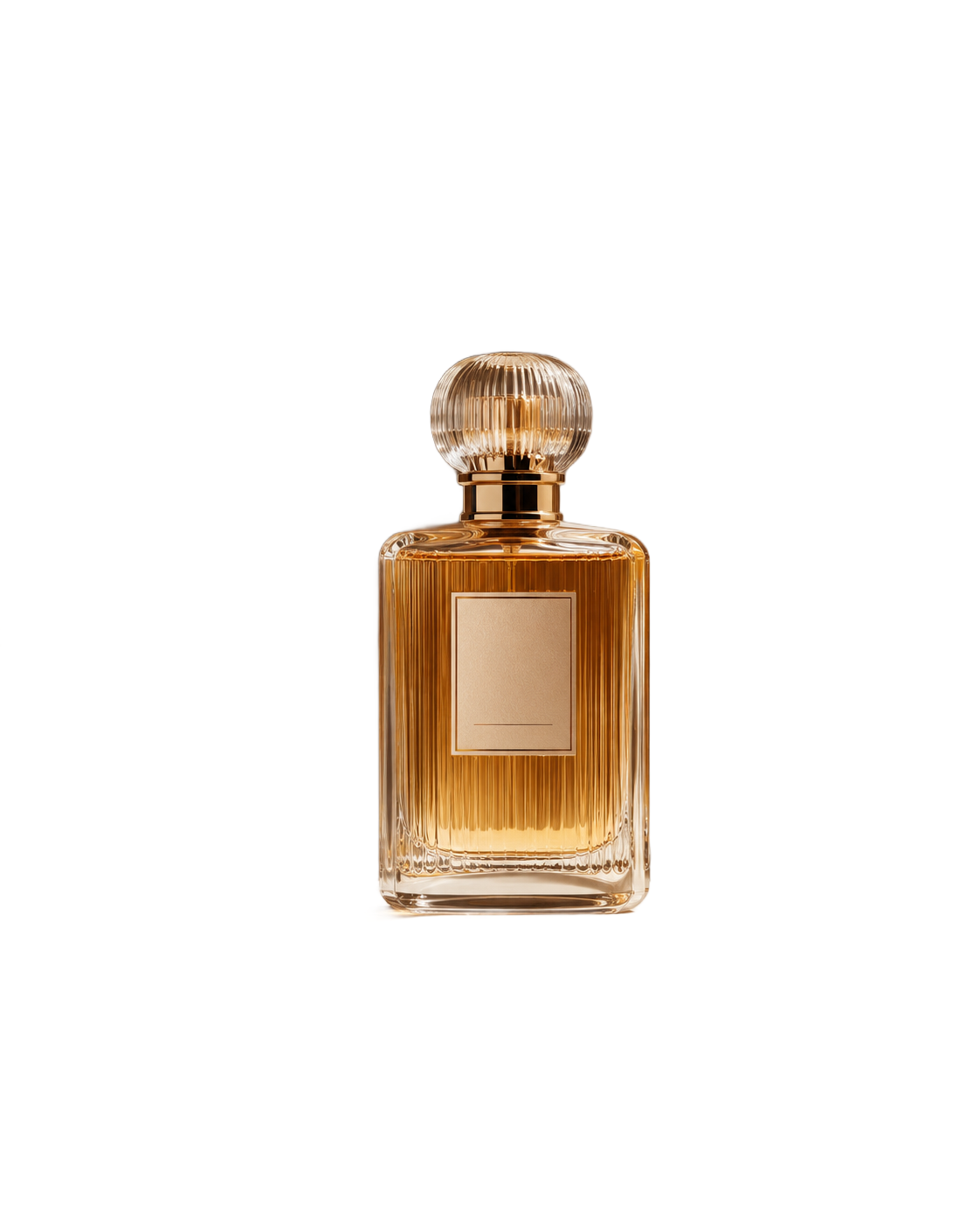
Ribbed stopper stays recognizable
Transparency and reflections
Focus: Glass stopper and its bright top rim
The vertical ribs and amber highlights remain. A pale outline follows the top rim, so this edge needs retouching on a dark destination.
Manual cleanup recommended · moderate findingOBSERVATION 02
Left silhouette keeps a pale fringe
Product silhouette
Focus: Left shoulder and vertical bottle boundary
The outer shape is continuous, but a thin white and green fringe from the generated scene remains along the shoulder and left edge.
Manual cleanup recommended · moderate findingOBSERVATION 03
Window reflections remain inside the glass
Transparency and reflections
Focus: Amber body above the paper label
The window-shaped reflections are preserved inside the bottle. Background removal does not turn this into optically clear glass that will match every new scene.
Usable at the stated scale · minor findingOBSERVATION 04
Blank label stays intact
Fine strokes and text
Focus: Cream label corners and lower border
The four label corners and its paper texture survive without obvious holes. This checks a blank label only; it is not evidence about small printed text.
Usable at the stated scale · minor findingOBSERVATION 05
Base retains a warm rim
Low contrast and shadows
Focus: Lower glass edge and contact with the table
Most of the tabletop and cast shadow disappear, while a narrow amber-yellow rim remains beneath the base. Refine it before placing the bottle on a dark background.
Manual cleanup recommended · moderate finding