
Failure analysis - 9 min read
Why Background Removal Fails on Hair, Glass, and Shadows
A failure analysis using ten documented inspection points from a fictional portrait and a synthetic glass-bottle test.
Published: 2026-06-22 - Updated: 2026-10-07
Written and reviewed by QuickBGCut Lab
Guides explain the browser workflow and reference the dated project test set. Sample results are not a guarantee for other images. See the test methodology and known limitations.
Updated October 7, 2026 with measured output data and ten inspection points across the newly generated bottle and fictional portrait.
Key takeaways
- •The model estimates a boundary; it does not know the physical object behind every pixel.
- •Hair and glass contain mixed pixels that cannot be cleanly classified as only foreground or background.
- •A useful first cut can still be unsuitable for large-format or precision work.
A segmentation model needs visible boundaries
The browser model estimates which pixels belong to the subject. A hard product edge against a contrasting background contains a strong signal. A strand of hair over sky, transparent glass showing the room behind it, or a soft shadow connected to a surface contains a mixture of signals.
Different regions of the same output behave differently. The fictional portrait keeps its overall arm shape but retains sandy fragments at the boundary and broad sky patches around the hair. The bottle label stays intact while the stopper and base retain bright edge pixels.
Hair combines geometry, blur, and background color
Loose hair contains narrow strands, gaps, partial transparency, and motion blur. In this synthetic portrait output, a broad blue region remains above the crown, turquoise fragments remain around the left curls, and a large pale patch remains beyond the upper-right hair. These are substantial background remnants, not a finished portrait cutout.
For a small avatar, preserving the main hair shape may be enough. For a dark full-width banner, the same colored fragments become obvious. Use a simple background behind the head, avoid strong backlight, and keep the highest-resolution source available.
Glass is not an opaque silhouette
Glass shows the original scene through the object. If every background color were removed, the bottle could lose its reflections and stop looking like glass. If every reflection is preserved, the new background may still carry colors from the old one.
Our bottle result keeps enough internal amber structure to remain recognizable. That is useful, but it also means the cutout is not physically neutral. Product photography for glass should use controlled lighting and a destination-aware compositing workflow rather than expecting one automatic mask to fit every background.
Shadows require an editorial decision
A contact shadow can be part of the subject presentation or part of the old background. Removing it completely can make a product float. Keeping it can create a dirty patch on a new layout. The model cannot infer the intended catalog style from the pixels alone.
Decide before processing whether the final layout needs a natural shadow. If it does, photograph on a controlled surface and expect to rebuild or refine the shadow. If it does not, inspect the contact area closely and remove remaining pixels manually.
When to stop using automation
Use the automatic result as a first pass when speed matters more than pixel-level control. Move to a mask editor when the asset is a brand master, a large print, a paid campaign, transparent packaging, or a portrait whose hair boundary is central to the design.
The correct standard is not whether the tool produced a PNG. It is whether the output remains believable on the actual background and at the actual display size.
Published evidence
Inspection points used in this guide
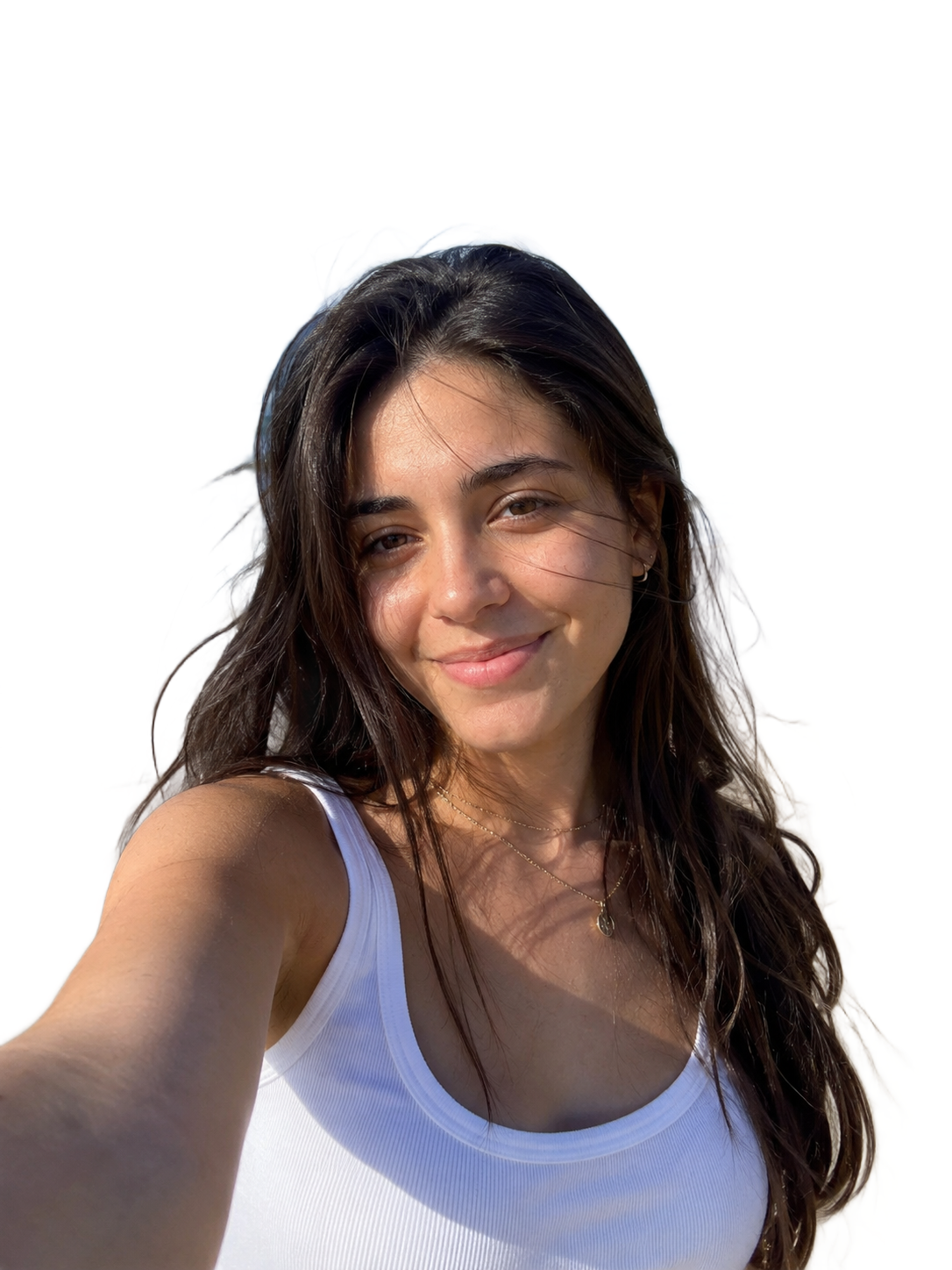
Fictional beach portrait · Portrait and hair
Sky remains above the crown
A broad pale-blue region remains around the upper hair boundary. This is retained background, not merely a few soft antialiasing pixels.
Open source measurements and full-size result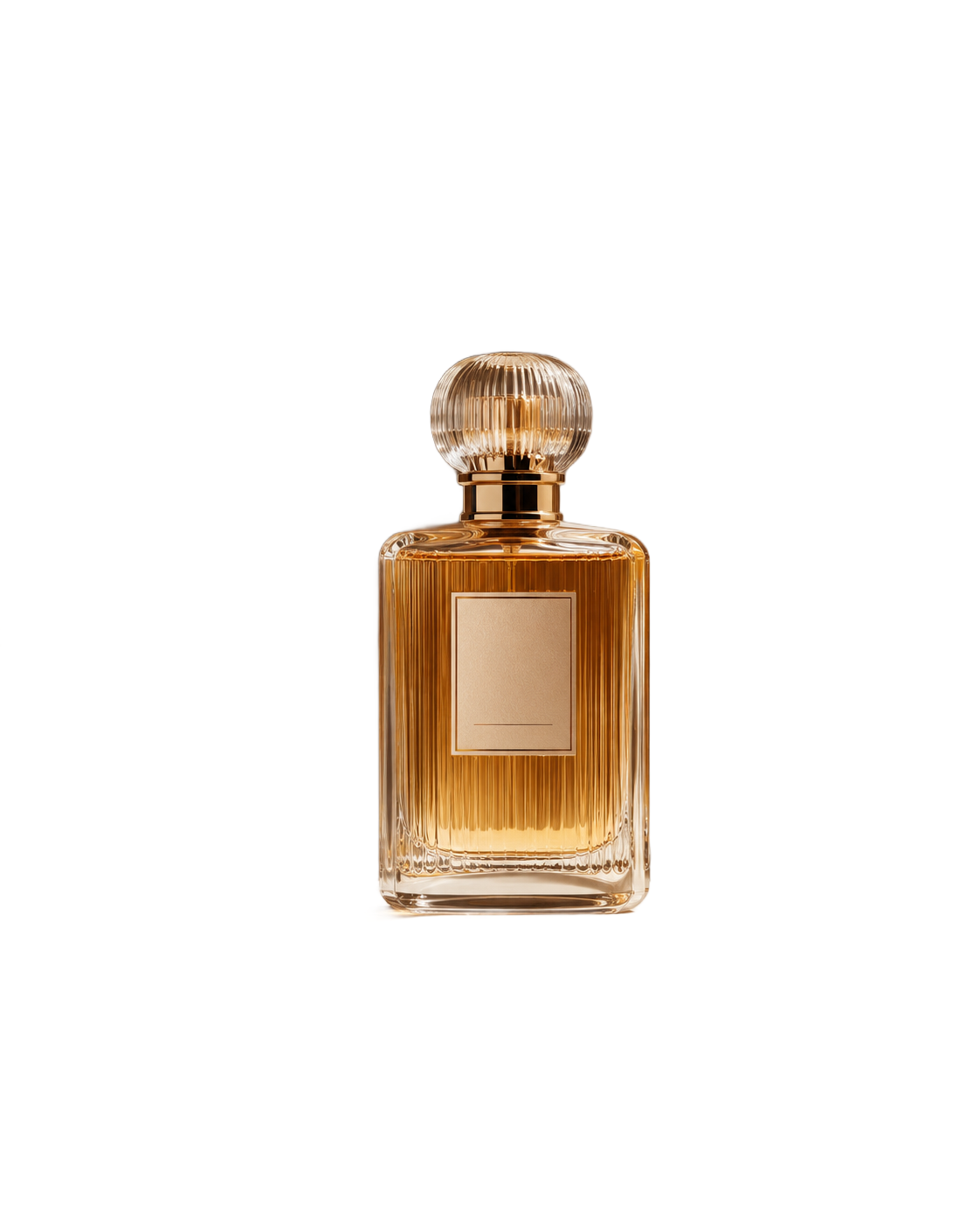
Synthetic amber glass bottle · Transparency and reflections
Window reflections remain inside the glass
The window-shaped reflections are preserved inside the bottle. Background removal does not turn this into optically clear glass that will match every new scene.
Open source measurements and full-size resultSynthetic amber glass bottle · Low contrast and shadows
Base retains a warm rim
Most of the tabletop and cast shadow disappear, while a narrow amber-yellow rim remains beneath the base. Refine it before placing the bottle on a dark background.
Open source measurements and full-size resultFictional beach portrait · Low contrast and shadows
Detached background patch remains at the right
A large pale irregular patch remains beyond the hair, with several holes and thin connecting strands. The output should not be accepted as a finished profile image.
Open source measurements and full-size resultRelated tools
More guides
Troubleshooting - 8 min read
White Edge and Halo Diagnosis After Background Removal
Inspect actual model outputs from synthetic bottle, handwriting, and graphic inputs to identify pale fringes and choose the next editing step.
Ecommerce - 9 min read
Shopify and Etsy Product Photos: Background Checklist
Prepare product photos for Shopify and Etsy: review real cutouts, flatten Etsy transparency, check image framing, and download an editable CSV checklist.
Workflow - 10 min read
Batch Background Removal: Transparent PNGs and ZIP Export
Remove backgrounds from up to 20 images in your browser. Check each transparent PNG, download a ZIP, and recover completed files when a batch fails.